Maximize Your WFH Efficiency with Top Laptops for Creators and Ergonomic Tech
- Rohan B.
- 3 days ago
- 4 min read

Working from home has become a permanent part of many people’s lives. Whether you’re a content creator, designer, or someone who spends hours on a laptop daily, having the right tools can make a huge difference in your productivity and comfort. Choosing a laptop that balances power, battery life, and ergonomic compatibility can boost your efficiency and reduce fatigue. This post explores the best laptops for creators based on performance benchmarks, highlights options with the longest battery life, and offers tips on ergonomic tech setups to keep you comfortable throughout your workday.
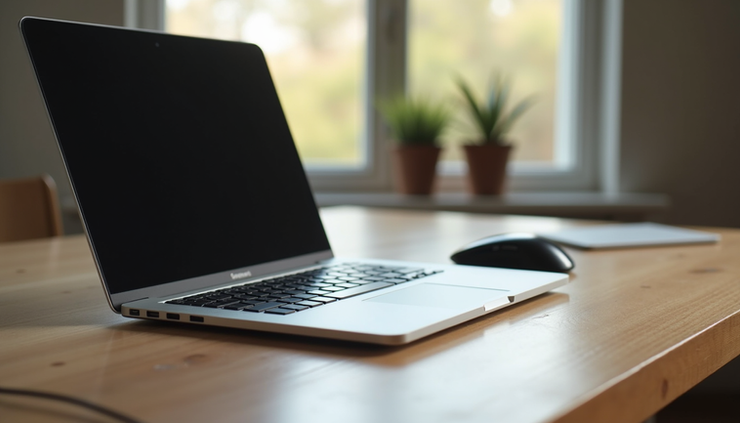
Performance Benchmarks for Creators
Creators need laptops that handle demanding software smoothly. Whether you edit videos, design graphics, or work with 3D models, performance matters. Here are some key specs and models that stand out:
Key Performance Factors
Processor (CPU): Look for at least a quad-core Intel i7 or AMD Ryzen 7. These processors handle multitasking and heavy software better.
Graphics (GPU): Dedicated GPUs like NVIDIA RTX series or AMD Radeon improve rendering and video editing speeds.
RAM: 16GB is the sweet spot for most creators. More RAM helps with large files and multitasking.
Storage: SSDs (Solid State Drives) offer faster load times. Aim for at least 512GB SSD, especially if you work with large media files.
Top Laptops for Performance
Apple MacBook Pro 16-inch (M2 Pro/Max)
- The M2 Pro and Max chips deliver exceptional speed for video editing and 3D work.
- Up to 64GB RAM and fast SSD options.
- Retina display with accurate colors, ideal for creators.
Dell XPS 15
- Intel Core i7 or i9 processors with NVIDIA GTX or RTX GPUs.
- 4K OLED display option for vibrant visuals.
- Solid build quality and excellent keyboard.
ASUS ROG Zephyrus G14
- AMD Ryzen 9 CPU paired with NVIDIA RTX 3060 GPU.
- Lightweight and portable without sacrificing power.
- Great battery life for a gaming-level performance laptop.
Microsoft Surface Laptop Studio
- Intel i7 with NVIDIA RTX 3050 Ti.
- Unique hinge design for drawing and creative workflows.
- Touchscreen and stylus support.
These laptops consistently score high in benchmarks for rendering times, multitasking, and software responsiveness. For creators, investing in a machine with a strong CPU and GPU combination will save time and frustration.
Best Battery Life Options
Long battery life is crucial for uninterrupted work, especially if you move around your home or work from different spots. Some high-performance laptops sacrifice battery for power, but several models balance both well.
What to Look for in Battery Life
Battery capacity: Measured in watt-hours (Wh), higher means longer life.
Power-efficient processors: Apple’s M-series chips and AMD Ryzen 6000 series are known for efficiency.
Display type: OLED and 4K displays consume more power than Full HD.
Software optimization: Some laptops manage power better through software.
Laptops with Outstanding Battery Life
Apple MacBook Air (M2)
- Up to 18 hours of video playback.
- Fanless design keeps it quiet and efficient.
- Great for creators who prioritize portability and battery.
LG Gram 17
- Massive 80Wh battery.
- Lightweight 17-inch display.
- Intel 12th Gen processors with good power management.
Lenovo ThinkPad X1 Carbon Gen 10
- Up to 15 hours of battery life.
- Durable build and excellent keyboard.
- Ideal for creators who need a reliable all-day machine.
HP Spectre x360 14
- Convertible design with up to 13 hours battery.
- OLED display option.
- Good balance of power and efficiency.
Choosing a laptop with long battery life means fewer interruptions and more flexibility in your work routine.
Ergonomic Tech Setups for Comfortable WFH
Even the best laptop can’t prevent discomfort if your workspace isn’t set up well. Ergonomics plays a big role in maintaining focus and avoiding strain.
Essential Ergonomic Tips
Screen height: Your laptop screen should be at eye level to avoid neck strain. Use a laptop stand or external monitor.
External keyboard and mouse: These allow better hand positioning and reduce wrist strain.
Chair and desk: Use a chair that supports your lower back and a desk at elbow height.
Lighting: Natural light or adjustable desk lamps reduce eye strain.
Breaks: Follow the 20-20-20 rule: every 20 minutes, look at something 20 feet away for 20 seconds.
Recommended Ergonomic Accessories
Laptop stands: Adjustable stands like the Rain Design mStand or Twelve South Curve lift your laptop to eye level.
External keyboards: Mechanical or ergonomic keyboards such as Logitech MX Keys or Microsoft Sculpt.
Ergonomic mice: Vertical mice or trackballs reduce wrist twisting.
Monitor arms: Flexible arms allow you to position external monitors perfectly.
Footrests and cushions: Help maintain posture and reduce fatigue.
Setting up your workspace with these tools can transform your WFH experience, making long hours more comfortable and productive.
Bringing It All Together
Choosing the right laptop for your creative work and pairing it with an ergonomic setup can dramatically improve your efficiency and well-being. High-performance laptops like the MacBook Pro or Dell XPS 15 handle demanding tasks smoothly, while models like the MacBook Air or LG Gram offer excellent battery life for flexibility. Complementing your laptop with ergonomic accessories ensures you stay comfortable and focused throughout the day.



Comments